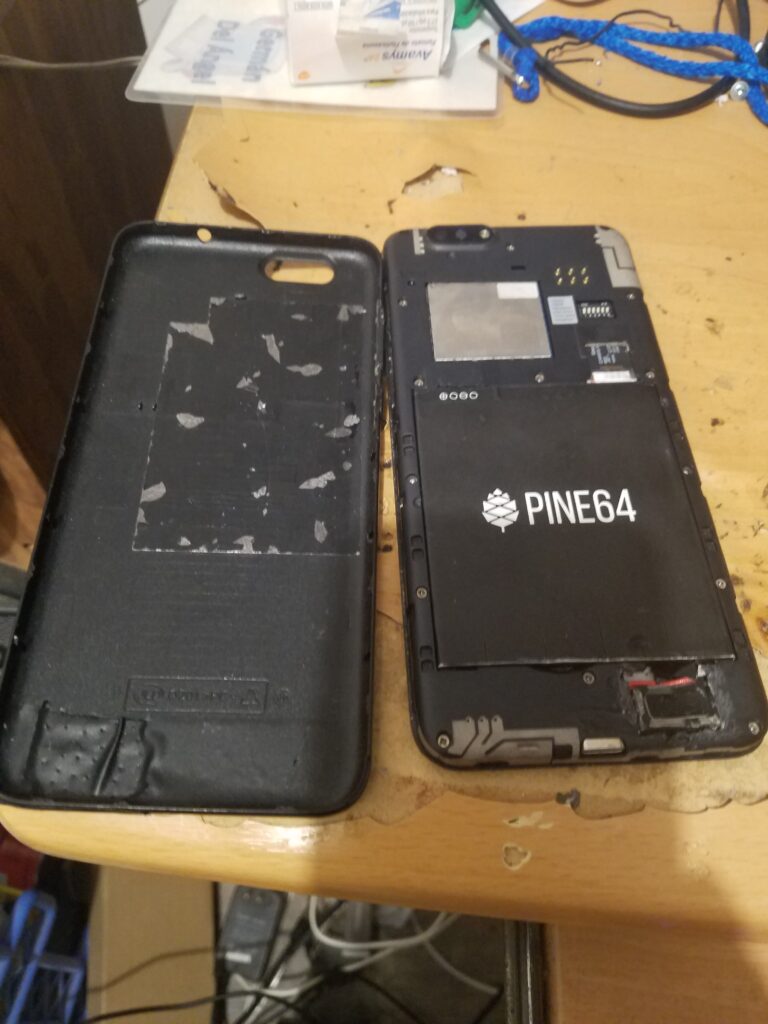
Pinephone es un smartphone interesante para probar diferentes sistemas operativos. Un reto interesante es instalar Gentoo, una distribución de GNU/Linux conocida por su curva de aprendizaje. En este tutorial se da por hecho que el lector tiene conocimientos sobre GNU/Linux y ha utilizado Gentoo por lo menos una vez. En mi caso voy a utilizar Qemu para realizar el procedimiento de instalación, aprovechando tamién lo que hice en este artículo. Recomiendo crear una instancia gemela de gentoo en otro dispositivo para compilar los paquetes nuevos ahi en lugar del pinephone. En mi caso utilizo una instancia gratuita de Oracle Cloud, pero puede ser cualquier proveedor que ofrezca instancias basadas en servidores Ampere o similares (Scaleway Elements tambien ofrece este tipo de instancia). Puede que una SBC como Raspberry Pi 5 tambien funcione, pero no lo he probado
Esta guia sirve como complemento al manual oficial de Gentoo, por lo que aqui se muestran los pasos especificos para Pinephone
Actualmente es posible utilizar pipewire como servidor de audio, aunque en caso de tener problemas de compatibilidad con dispositivos de audio bluetooth es posible volver a pulseaudio
En mi caso el archivo make.conf de portage quedó así
COMMON_FLAGS="-march=armv8-a+crypto+crc -mtune=cortex-a53 -O2 -pipe -fomit-frame-pointer -ftree-vectorize"
CFLAGFS="${COMMON_FLAGS}"
CXXFLAGS="${COMMON_FLAGS}"
FCFLAGS="${COMMON_FLAGS}"
FFLAGS="${COMMON_FLAGS}"
MAKEOPTS="-j5"

USE="gtk webp avif jpeg gif png openmpt vaapi x264 dvd bluray aacs libass mp3 fluidsynth gme matroska opus fdk css ssh v4l mtp pipewire wayland phosh gles2 p-boot eg25-manager pinephone chromium samba truetype elogind bluetooth cups vaapi systemd networkmanager -opengl egl wifi mobile tkip nftables bluetooth voip pipewire-alsa modemmanager"

# WARNING: Changing your CHOST is not something that should be done lightly.
# Please consult https://wiki.gentoo.org/wiki/Changing_the_CHOST_variable before changing.
CHOST="aarch64-unknown-linux-gnu"

# NOTE: This stage was built with the bindist USE flag enabled

# This sets the language of build output to English.
# Please keep this setting intact when reporting bugs.
LC_MESSAGES=C.UTF-8
VIDEO_CARDS="lima"
ACCEPT_LICENSE="-* @FREE @BINARY-REDISTRIBUTABLE"
FEATURES="${FEATURES} getbinpkg"
GENTOO_MIRRORS="https://elda.asgardius.company/gentoo"
L10N="es-mx es"
LINGAS="es"
Los parámetros que elegi en COMMON_FLAGS son importantes si se va a compilar los paquetes en un dispositivo diferente al pinephone, los paquetes se optimizaran para el pinephone y no para el hardware que ejecuta el compilador. El controlador de video elegido es el requerido para la gpu del pinephone. Las etiquetas USE son elegidas para mi caso de uso específico
El archivo packages.use queda así en mi caso
sys-apps/systemd cryptsetup homed
media-libs/mesa -llvm
>=x11-libs/libdrm-2.4.102 libkms
net-misc/networkmanager connection-sharing
media-libs/libsdl2 gles2 -tslib
media-libs/libvpx postproc
sys-libs/zlib minizip
media-fonts/dejavu -X
media-video/vlc -X opus
media-tv/v4l-utils -bpf -qt5
media-video/ffmpeg vaapi
sci-geosciences/gpsd -X -qt5 python
>=media-plugins/grilo-plugins-0.3.12 flickr
>=sys-libs/zlib-1.2.11-r3 static-libs
media-libs/libsdl2 kms tslib
>=media-video/ffmpeg-4.3.1 opus
x11-libs/tslib -sdl
net-wireless/bluez user-session
x11-libs/cairo gles2-only
net-libs/webkit-gtk gles2-only
>=dev-lang/python-3.9.2 -bluetooth -sqlite
dev-qt/qtbase opengl
dev-qt/qtdeclarative opengl
dev-qt/qtmultimedia opengl
media-video/vlc X ffmpeg
media-libs/libsdl3 opengl
# required by dev-qt/qtmultimedia-6.10.1-r1::gentoo[qml]
# required by dev-libs/kirigami-addons-1.11.0::gentoo
# required by kde-misc/kdeconnect-25.08.3-r2::gentoo
# required by kdeconnect (argument)
>=dev-qt/qtquick3d-6.10.1 opengl
# required by dev-qt/qtmultimedia-6.10.1-r1::gentoo[opengl,gstreamer]
# required by dev-libs/kirigami-addons-1.11.0::gentoo
# required by kde-misc/kdeconnect-25.08.3-r2::gentoo
# required by kdeconnect (argument)
>=media-libs/gst-plugins-base-1.24.11-r1 opengl
# required by kde-misc/kdeconnect-25.08.3-r2::gentoo
# required by kdeconnect (argument)
>=dev-qt/qttools-6.10.1-r1 opengl
www-client/firefox -gnome-shell -wifi
net-libs/nodejs npm
media-plugins/gst-plugins-gtk opengl
# required by media-video/mpv-0.41.0::gentoo[egl]
# required by net-misc/s3manager-3.1.3::laylarepo
# required by s3manager (argument)
>=media-libs/libplacebo-7.351.0 opengl
# required by x11-wm/phoc-0.51.0::gjdwebserver
# required by gui-wm/phosh-0.51.0::gjdwebserver
# required by @selected
# required by @world (argument)
>=sys-auth/seatd-0.9.2 server
# required by net-im/chatty-0.8.8::gjdwebserver
# required by @selected
# required by @world (argument)
gnome-extra/evolution-data-server phonenumber python3_13 -python3_11 -python3_12 -python3_14
# required by media-sound/lollypop-1.4.45::gentoo
# required by @selected
# required by @world (argument)
>=dev-lang/python-3.13.11:3.13 sqlite
media-video/mpv -alsa pipewire -pulseaudio
media-plugins/gst-plugin-gtk4 opengl
El archivo packages.accept_keywords queda así en mi caso
dev-libs/feedbackd ~arm64
dev-libs/feedbackd-device-themes ~arm64
media-sound/callaudiod ~arm64
dev-libs/gmobile ~arm64
gui-wm/phoc ~arm64
dev-libs/icu ~arm64
phosh-base/phosh **
phosh-base/phosh-osk-stevia **
net-misc/eg25-manager ~arm64
net-im/chatty ~arm64
net-voip/gnome-calls ~arm64
net-libs/sofia-sip ~arm64
gnome-extra/evolution-data-server ~arm64
x11-plugins/purple-mm-sms ~arm64
phosh-base/phosh-mobile-settings **
app-mobilephone/mobile-config-firefox ~arm64
media-sound/pavucontrol ~arm64
gnome-extra/iio-sensor-proxy ~arm64
www-client/librewolf-bin ~arm64
=net-im/nheko-0.12.1 **
dev-db/lmdb++ **
dev-libs/kdsingleapplication ~arm64
dev-cpp/blurhash **
dev-libs/mtxclient **
dev-cpp/coeurl **
games-rpg/midori-school ~arm64
games-puzzle/r3-game ~arm64
net-misc/s3manager ~arm64
media-sound/lollypop ~arm64
sci-geosciences/gnome-maps ~arm64
media-plugins/gst-plugins-faad ~arm64
media-libs/gst-plugins-bad ~arm64
sys-power/powersupply ~arm64
app-containers/distrobox ~arm64
media-libs/gstreamer ~arm64
media-plugins/gst-plugins-dtls ~arm64
media-libs/gst-plugins-base ~arm64
media-plugins/gst-plugins-webrtc ~arm64
media-plugins/gst-plugins-sctp ~arm64
media-libs/webrtc-audio-processing ~arm64
app-text/foliate **
phosh-base/xdg-desktop-portal-phosh **
phosh-base/pfs **
app-alternatives/phosh-keyboard **
=gui-libs/xdg-desktop-portal-wlr-0.8.1 **
phosh-base/phosh-shell ~arm64
phosh-base/phosh-tour **
x11-themes/phosh-wallpapers **
dev-libs/qr-code-generator ~arm64
net-misc/cellbroadcastd **
dev-util/sysprof-capture ~arm64
dev-util/sysprof ~arm64
dev-util/sysprof-common ~arm64
dev-libs/libdex ~arm64
gui-libs/libpanel ~arm64
gui-libs/libadwaita ~arm64
media-libs/libshumate ~arm64
gui-libs/gtk ~arm64
=sci-geosciences/gpsd-3.26.1-r1 ~arm64
Es necesario elegir un perfil de sistema con systemd que sea apto para Gnome
Para poder agregar repositorios de terceros es necesario instalar eselect-repository
emerge --ask app-eselect/eselect-repositoryPara poder instalar Phosh es necesario el repositorio gjdwebserver
eselect repository add gjdwebserver git https://git.gjdwebserver.nl/gjdwebserver/gjdwebserver-overlay.gitEn el repositorio Layla hay algunos paquetes interesantes
eselect repository add laylarepo git https://git.asgardius.company/asgardius/laylarepo.gitAlgunos paquetes dependen de otros que se encuentran en el repositorio Guru
eselect repository enable guruElegi los siguientes servidores de paquetes binarios
[gentoo]
priority = 1
sync-uri = https://elda.asgardius.company/gentoo/releases/arm64/binpackages/23.0/arm64
location = /var/cache/binhost/gentoo
verify-signature = true

[gjdwebserver]
priority = 1
sync-uri = https://distfiles.gjdwebserver.nl/
location = /var/cache/binhost/gjdwebserver
verify-signature = false

[layla-bin]
sync-uri = https://layla-bin.momo.asgardius.company/arm64
priority = 10
Instalaremos los siguientes paquetes para tener la interfaz de usuario phosh
emerge --ask phosh-base/phosh net-misc/eg25-manager net-im/chatty net-voip/gnome-calls gnome-extra/gnome-contacts x11-misc/sddm net-misc/networkmanager phosh-base/xdg-desktop-portal-phoshConfiguramos el teclado virtual para que se inicie automaticamente
sudo nano /etc/xdg/autostart/sm.puri.OSK0.desktopColocamos lo siguiente
[Desktop Entry]
Type=Application
Name[ar]=لوحة مفاتيح على الشاشة
Name[fa]=صفحهکلید مجازی
Name=On-screen keyboard
Comment[ar]=لوحة مفاتيح على الشاشة
Comment[fa]=صفحهکلید مجازی
Comment=On-screen keyboard
Exec=/usr/bin/phosh-osk-stevia --allow-replacement
Categories=System;GNOME;Core;
Icon=input-keyboard-symbolic
X-GNOME-AutoRestart=trueHabilitamos NetworkManager
systemctl enable NetworkManager
systemctl enable ModemManager
Configuramos SDDM
nano /etc/sddm.conf.d/01gentoo.confAgregamos lo siguiente
[Autologin]
User=<Usuario>
Session=phosh
Habilitamos SDDM
systemctl enable sddmEn caso de que no funcione el audio, será necesario corregir los perfiles de ALSA. Editamos primero el siguiente archivo
nano /usr/share/alsa/ucm2/Allwinner/A64/PinePhone/PinePhone.conf Colocamos lo siguiente
Syntax 2

# https://wiki.pine64.org/index.php/PinePhone
# https://files.pine64.org/doc/PinePhone/PinePhone%20v1.2%20Released%20Schematic.pdf
# https://xnux.eu/devices/feature/audio-pp.html

SectionUseCase."HiFi" {
        File "/Allwinner/A64/PinePhone/HiFi.conf"
        Comment "Play HiFi quality music"
}

SectionUseCase."Voice Call" {
        File "/Allwinner/A64/PinePhone/VoiceCall.conf"
        Comment "Make a phone call"
}
Seguimos con el perfil de llamadas
nano /usr/share/alsa/ucm2/Allwinner/A64/PinePhone/VoiceCall.confLo dejamos asi
SectionVerb {
        EnableSequence [
                cset "name='Headphone Playback Switch' off"
                cset "name='Headphone Source Playback Route' DAC"
                cset "name='Line In Playback Switch' off"
                cset "name='Line Out Playback Switch' off"
                cset "name='Line Out Source Playback Route' Mono Differential"
                cset "name='Mic1 Playback Switch' off"
                cset "name='Mic2 Playback Switch' off"
                cset "name='AIF1 DA0 Playback Volume' 160"
                cset "name='AIF2 DAC Playback Volume' 184"
                cset "name='AIF2 DAC Stereo Playback Route' Mix Mono"
                cset "name='AIF3 ADC Source Capture Route' None"
                cset "name='AIF2 DAC Source Playback Route' AIF2"
                cset "name='DAC Playback Switch' on"
                cset "name='DAC Playback Volume' 160"
                cset "name='ADC Digital DAC Playback Switch' off"
                cset "name='AIF1 Slot 0 Digital DAC Playback Switch' on"
                cset "name='AIF2 Digital DAC Playback Switch' on"
                cset "name='DAC Reversed Playback Switch' off"
                cset "name='Earpiece Playback Switch' off"
                cset "name='Earpiece Source Playback Route' DACL"

                cset "name='Line In Capture Switch' off"
                cset "name='Mic1 Capture Switch' off"
                cset "name='Mic2 Capture Switch' off"
                cset "name='Mixer Capture Switch' off"
                cset "name='Mixer Reversed Capture Switch' off"
                cset "name='ADC Capture Volume' 160"
                cset "name='AIF1 AD0 Capture Volume' 160"
                cset "name='AIF1 Data Digital ADC Capture Switch' on"
                cset "name='AIF2 ADC Capture Volume' 160"
                cset "name='AIF2 ADC Mixer ADC Capture Switch' on"
                cset "name='AIF2 ADC Mixer AIF1 DA0 Capture Switch' off"
                cset "name='AIF2 ADC Mixer AIF2 DAC Rev Capture Switch' off"
        ]

        DisableSequence [
        ]

        Value {
                PlaybackRate 8000
        }
}

SectionDevice."Speaker" {
        Comment "Internal speaker"

        EnableSequence [
                cset "name='AIF1 DA0 Stereo Playback Route' Mix Mono"
                cset "name='Line Out Playback Switch' on"
                cset "name='Line Out Playback Volume' 100%"
        ]

        DisableSequence [
                cset "name='Line Out Playback Switch' off"
        ]

        Value {
                PlaybackVolume "Line Out Playback Volume"
                PlaybackSwitch "Line Out Playback Switch"
                PlaybackChannels "2"
                PlaybackPriority 100
                PlaybackPCM "hw:${CardId},0"
        }
}
SectionDevice."Earpiece" {
        Comment "Internal Earpiece"

        EnableSequence [
                cset "name='AIF1 DA0 Stereo Playback Route' Mix Mono"
                cset "name='Earpiece Playback Switch' on"
                cset "name='Earpiece Playback Volume' 100%"
        ]

        DisableSequence [
                cset "name='Earpiece Playback Switch' off"
        ]

        Value {
                PlaybackVolume "Earpiece Playback Volume"
                PlaybackSwitch "Earpiece Playback Switch"
                PlaybackChannels "2"
                PlaybackPriority 300
                PlaybackPCM "hw:${CardId},0"
        }
}

SectionDevice."Mic" {
        Comment "Internal Microphone"

        ConflictingDevice [
                "Headset"
        ]

        EnableSequence [
                cset "name='Mic1 Capture Switch' on"
        ]

        DisableSequence [
                cset "name='Mic1 Capture Switch' off"
        ]

        Value {
                CapturePriority 100
                CapturePCM "hw:${CardId},0"
                CaptureChannels "2"
        }
}

SectionDevice."Headset" {
        Comment "Headset Microphone"

        ConflictingDevice [
                "Mic"
        ]

        EnableSequence [
                cset "name='Mic2 Capture Switch' on"
        ]

        DisableSequence [
                cset "name='Mic2 Capture Switch' off"
        ]

        Value {
                CapturePriority 200
                CapturePCM "hw:${CardId},0"
                CaptureChannels "2"
                JackControl "Headset Microphone Jack"
        }
}

SectionDevice."Headphones" {
        Comment "Headphones"

        EnableSequence [
                cset "name='AIF1 DA0 Stereo Playback Route' Stereo"
                cset "name='Headphone Playback Switch' on"
                cset "name='Headphone Playback Volume' 100%"
        ]

        DisableSequence [
                cset "name='Headphone Playback Switch' off"
        ]

        Value {
                PlaybackVolume "Headphone Playback Volume"
                PlaybackSwitch "Headphone Playback Switch"
                PlaybackChannels "2"
                PlaybackPriority 500
                PlaybackPCM "hw:${CardId},0"
                JackControl "Headphone Jack"
        }
}
Ahora el perfil de audio Hi-Fi
nano /usr/share/alsa/ucm2/Allwinner/A64/PinePhone/HiFi.confLo deamos asi
SectionVerb {
        EnableSequence [
                cset "name='Headphone Playback Switch' off"
                cset "name='Headphone Source Playback Route' DAC"
                cset "name='Line In Playback Switch' off"
                cset "name='Line Out Playback Switch' off"
                cset "name='Line Out Source Playback Route' Mono Differential"
                cset "name='Mic1 Playback Switch' off"
                cset "name='Mic2 Playback Switch' off"
                cset "name='AIF1 DA0 Playback Volume' 160"
                cset "name='AIF3 ADC Source Capture Route' None"
                cset "name='AIF2 DAC Source Playback Route' AIF2"
                cset "name='DAC Playback Switch' on"
                cset "name='DAC Playback Volume' 160"
                cset "name='ADC Digital DAC Playback Switch' off"
                cset "name='AIF1 Slot 0 Digital DAC Playback Switch' on"
                cset "name='AIF2 Digital DAC Playback Switch' off"
                cset "name='DAC Reversed Playback Switch' off"
                cset "name='Earpiece Playback Switch' off"
                cset "name='Earpiece Source Playback Route' DACL"

                cset "name='Line In Capture Switch' off"
                cset "name='Mic1 Capture Switch' off"
                cset "name='Mic2 Capture Switch' off"
                cset "name='Mixer Capture Switch' off"
                cset "name='Mixer Reversed Capture Switch' off"
                cset "name='ADC Capture Volume' 160"
                cset "name='AIF1 AD0 Capture Volume' 160"
                cset "name='AIF1 Data Digital ADC Capture Switch' on"
                cset "name='AIF2 ADC Mixer ADC Capture Switch' off"
                cset "name='AIF2 ADC Mixer AIF1 DA0 Capture Switch' off"
                cset "name='AIF2 ADC Mixer AIF2 DAC Rev Capture Switch' off"
        ]

        DisableSequence [
        ]

        Value {
        }
}

SectionDevice."Speaker" {
        Comment "Internal speaker"
        EnableSequence [
                cset "name='AIF1 DA0 Stereo Playback Route' Mix Mono"
                cset "name='Line Out Playback Switch' on"
                cset "name='Line Out Playback Volume' 100%"
        ]

        DisableSequence [
                cset "name='Line Out Playback Switch' off"
        ]

        Value {
                PlaybackVolume "Line Out Playback Volume"
                PlaybackSwitch "Line Out Playback Switch"
                PlaybackChannels "2"
                PlaybackPriority 300
                PlaybackPCM "hw:${CardId},0"
        }
}

SectionDevice."Earpiece" {
        Comment "Internal Earpiece"

        EnableSequence [
                cset "name='AIF1 DA0 Stereo Playback Route' Mix Mono"
                cset "name='Earpiece Playback Switch' on"
                cset "name='Earpiece Playback Volume' 100%"
        ]

        DisableSequence [
                cset "name='Earpiece Playback Switch' off"
        ]

        Value {
                PlaybackVolume "Earpiece Playback Volume"
                PlaybackSwitch "Earpiece Playback Switch"
                PlaybackChannels "2"
                PlaybackPriority 100
                PlaybackPCM "hw:${CardId},0"
        }
}

SectionDevice."Mic" {
        Comment "Internal Microphone"

        ConflictingDevice [
                "Headset"
        ]

        EnableSequence [
                cset "name='Mic1 Capture Switch' on"
        ]

        DisableSequence [
                cset "name='Mic1 Capture Switch' off"
        ]

        Value {
                CapturePriority 100
                CapturePCM "hw:${CardId},0"
                CaptureChannels "2"
        }
}

SectionDevice."Headset" {
        Comment "Headset Microphone"

        ConflictingDevice [
                "Mic"
        ]

        EnableSequence [
                cset "name='Mic2 Capture Switch' on"
        ]

        DisableSequence [
                cset "name='Mic2 Capture Switch' off"
        ]

        Value {
                CapturePriority 200
                CapturePCM "hw:${CardId},0"
                CaptureChannels "2"
                JackControl "Headset Microphone Jack"
        }
}

SectionDevice."Headphones" {
        Comment "Headphones"

        EnableSequence [
                cset "name='AIF1 DA0 Stereo Playback Route' Stereo"
                cset "name='Headphone Playback Switch' on"
                cset "name='Headphone Playback Volume' 100%"
        ]

        DisableSequence [
                cset "name='Headphone Playback Switch' off"
        ]

        Value {
                PlaybackVolume "Headphone Playback Volume"
                PlaybackSwitch "Headphone Playback Switch"
                PlaybackChannels "2"
                PlaybackPriority 500
                PlaybackPCM "hw:${CardId},0"
                JackControl "Headphone Jack"
        }
}
Configuramos systemd resolved y eg25-manager (para poder utilizar el modem del pinephone)
ln -sf ../run/systemd/resolve/stub-resolv.conf /etc/resolv.conf
systemctl enable systemd-resolved.service
systemctl enable eg25-manager.service
Referencias
https://blog.gjdwebserver.nl/ords/f?p=107:HOME:::::ARTICLE:gentoo-on-a-pinephone